In today’s fast-paced business environment, understanding your help desk’s performance is not just beneficial—it’s critical for success. A well-structured help desk monthly report template provides a snapshot of your support operations, highlighting both achievements and areas needing attention. This vital document transforms raw data into actionable insights, empowering your team to make informed decisions and continuously improve service delivery.
Without a consistent reporting framework, evaluating trends, identifying bottlenecks, and demonstrating value becomes an uphill battle. This article will guide you through creating an effective help desk monthly report template, detailing essential metrics, optimal structure, and best practices to ensure your reports are clear, comprehensive, and impactful. By leveraging a robust template, you can transform your help desk from a reactive cost center into a proactive, strategic asset.
Why a Help Desk Monthly Report Template is Essential for Performance
A dedicated help desk monthly report template is more than just a collection of numbers; it’s a strategic tool that drives continuous improvement and showcases the value of your support team. It provides a structured way to review past performance, predict future needs, and align support efforts with broader business objectives. Regularly compiling these reports ensures that no critical performance aspect goes unnoticed.
Gaining Deeper Insights into Support Operations
Using a consistent reporting template allows you to uncover hidden patterns and understand the root causes of issues. By tracking specific metrics month after month, you can identify recurring problems, seasonal trends, and shifts in customer behavior. For instance, a sudden spike in tickets related to a particular software feature might indicate a bug or a need for better user documentation.
These insights enable your team to move beyond reactive problem-solving. You can proactively address potential issues before they escalate, improving the overall user experience and reducing future support volumes. This data-driven approach fosters a culture of continuous learning and operational excellence within your help desk.
Improving Resource Allocation and Agent Efficiency
An effective help desk monthly report template provides clear data on workload distribution, agent performance, and peak activity times. This information is invaluable for optimizing your team’s schedule and ensuring adequate staffing levels during busy periods. It helps prevent agent burnout and ensures that resources are allocated where they are most needed.
Detailed reports can also highlight training opportunities for your support staff. If certain types of tickets consistently have longer resolution times, it might indicate a knowledge gap that could be addressed through targeted training programs. By focusing on efficiency, your team can resolve issues faster and handle a greater volume of requests, directly impacting productivity and cost-effectiveness.
Demonstrating Value to Stakeholders
In many organizations, the help desk is seen purely as a cost center. A comprehensive monthly report template allows you to change this perception by quantifying the team’s contributions and demonstrating its strategic value. Presenting clear data on customer satisfaction, resolution rates, and cost savings can justify budget requests and highlight the support team’s impact on business success.
These reports serve as a powerful communication tool for stakeholders, including management, product teams, and even sales. They provide transparency into support operations and foster better collaboration across departments. When stakeholders see the tangible results of your help desk’s efforts, they are more likely to support initiatives and investments that benefit customer service.
Key Metrics to Include in Your Help Desk Monthly Report
Selecting the right metrics is paramount to creating an impactful help desk monthly report template. While specific indicators may vary slightly depending on your industry and business goals, a core set of KPIs provides a comprehensive view of your help desk’s health and efficiency. These metrics help you understand what’s working well and what needs improvement.
Critical Performance Indicators (KPIs)
These are the foundational metrics that every help desk monthly report template should include. They offer a high-level overview of your team’s effectiveness and customer experience. Focusing on these KPIs ensures you’re tracking what matters most for overall performance.
- Ticket Volume: The total number of new tickets created, closed, and currently open (backlog) during the month. This shows workload and demand.
- First Contact Resolution (FCR): The percentage of tickets resolved during the first interaction with the customer. A high FCR indicates efficient problem-solving.
- Average Resolution Time (ART): The average time it takes for a support agent to resolve a ticket from creation to closure. Lower is generally better.
- Average Response Time: The average time it takes for an agent to provide the initial response to a customer’s inquiry. Crucial for customer satisfaction.
- Customer Satisfaction Score (CSAT) / Net Promoter Score (NPS): Measures customer happiness with the support interaction or their likelihood to recommend your service. Usually collected via surveys.
- SLA Compliance Rate: The percentage of tickets that meet defined Service Level Agreement targets. This indicates reliability and adherence to service commitments.
Operational Metrics for Deeper Analysis
Beyond the critical KPIs, operational metrics provide a deeper look into the mechanics of your help desk. Including these in your help desk monthly report template helps identify specific areas for process optimization and resource management. They illuminate the “how” behind your performance.
- Agent Utilization: The percentage of time agents spend actively working on tickets versus available time. Helps assess staffing levels and efficiency.
- Top Ticket Categories/Types: Identifies the most common issues customers face. This can highlight product weaknesses or areas needing better documentation.
- Channels Used: Breakdown of tickets by channel (phone, email, chat, web portal). Reveals popular customer contact methods and informs resource allocation per channel.
- Reopened Tickets: The number or percentage of tickets that were reopened after being marked as closed. High numbers can indicate incomplete resolutions or recurring issues.
- Escalation Rate: The percentage of tickets that need to be escalated to a higher tier of support or another department. Points to knowledge gaps or complex recurring problems.
Visualizing Data for Clarity and Impact
Raw numbers can be overwhelming and difficult to interpret quickly. That’s why an effective help desk monthly report template leverages data visualization. Using charts, graphs, and dashboards makes complex data scannable and understandable, allowing stakeholders to grasp key insights at a glance.
Consider using line graphs to show trends over time for metrics like ticket volume or average resolution time. Bar charts are excellent for comparing different categories, such as ticket types or agent performance. Pie charts can illustrate proportions, like the distribution of tickets across various support channels. The goal is to present information in a visually engaging way that supports quick comprehension and informed decision-making.
Sample Help Desk Monthly Report Template Structure
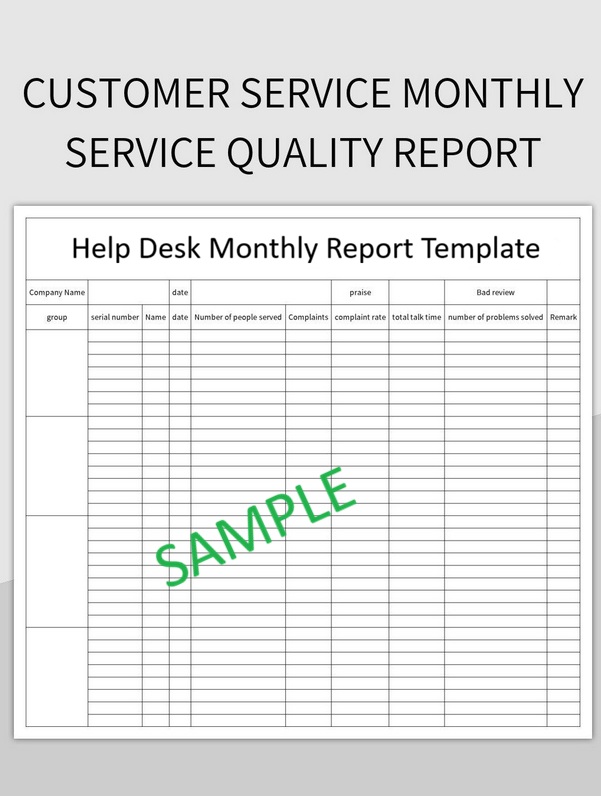
A well-organized structure is crucial for any effective help desk monthly report template. It ensures that all key information is presented logically, making the report easy to read and understand for various stakeholders. The following outline provides a robust framework that you can adapt to your specific needs. This structure ensures comprehensive coverage without overwhelming the reader.
Executive Summary
This section serves as the most critical part of your help desk monthly report template, especially for busy executives. It should provide a high-level overview of the month’s performance, summarizing key highlights, significant challenges, and primary recommendations. Keep it concise, typically 1-2 paragraphs, focusing on the most important takeaways and actionable insights.
For instance, you might state: “Overall customer satisfaction remained high at 92%, exceeding our target by 2%. However, average resolution time increased by 15% this month due to a surge in complex software integration issues. We recommend additional training on advanced troubleshooting for our Tier 2 agents to address this trend effectively.”
Detailed Metrics Breakdown
This section expands upon the executive summary by diving into the specifics of each key performance indicator and operational metric. For each metric, present the data clearly, often with accompanying charts or graphs, and provide a brief analysis of what the numbers mean. Compare current month’s performance against previous months or established goals to show trends.
A good template dedicates subsections to each major metric. For example, under “Ticket Volume,” you’d show total tickets, new tickets, closed tickets, and the current backlog, perhaps with a trend graph over the last six months. For “CSAT Score,” you’d show the average score, explain any significant fluctuations, and share customer feedback themes if available. This detailed breakdown provides the evidence supporting your executive summary.
Trends, Challenges, and Recommendations
Here, you analyze the data presented in the previous section to identify broader patterns, recurring issues, and opportunities for improvement. This part of your help desk monthly report template moves beyond just reporting numbers; it interprets them. Highlight significant trends, whether positive (e.g., continuous improvement in FCR) or negative (e.g., a consistent increase in escalated tickets).
Discuss specific challenges faced during the month, such as staffing shortages, unexpected system outages, or a rise in complex technical problems. Most importantly, provide clear, actionable recommendations based on your analysis. These recommendations should outline specific steps to address challenges, capitalize on opportunities, and drive future improvements. For example, “To reduce average resolution time, we recommend implementing a new knowledge base article review process focusing on common Tier 1 issues.”
Agent Performance Overview (Optional)
While individual agent performance is often reviewed separately, an aggregated overview can be a valuable addition to your help desk monthly report template. This section would present overall team performance metrics, such as average tickets handled per agent, team FCR, or team average resolution time. It helps assess the collective efficiency and productivity of your support staff without singling out individuals.
This overview can also highlight areas where the team as a whole might benefit from additional training or process adjustments. It should focus on collective achievements and areas for collective growth, reinforcing a team-oriented approach to performance improvement. Ensure that any agent-specific data is anonymized or aggregated to maintain privacy and focus on overall operational health.
A robust help desk monthly report template is indispensable for any support organization aiming for excellence. By consistently tracking, analyzing, and presenting key data, you empower your team to make informed decisions that improve customer satisfaction, optimize operational efficiency, and demonstrate tangible value to the entire organization. Such reports are not merely administrative tasks; they are strategic assets that drive continuous improvement and foster a proactive, data-driven approach to service delivery.
Start leveraging a comprehensive help desk monthly report template today to gain unparalleled clarity into your support operations. Regularly reviewing these insights will enable you to identify critical trends, address challenges before they escalate, and continuously refine your service processes. Embrace the power of data to transform your help desk into a strategic advantage, ensuring your customers receive the best possible support every single day.